
Baby Tracker App | Glow
Glow IncParenting
3.93.64K Reviews
- Version
- 4.57.0
- Installs
- 1.00M
- Age Rating
- Everyone
Screenshots
Our Review of Baby Tracker App | Glow
 Analysis by Appyee
When the day is broken into short stretches of feeding, changing, and trying to rest, it is easy to lose track of what happened last. That is where Baby Tracker App | Glow has its clearest purpose: it gives caregivers one place to record the small daily details that are otherwise scattered across memory, notes, and conversations. I find that practical focus more useful than treating tracking as a way to make parenting feel perfectly organized.
One record for the details that blur together
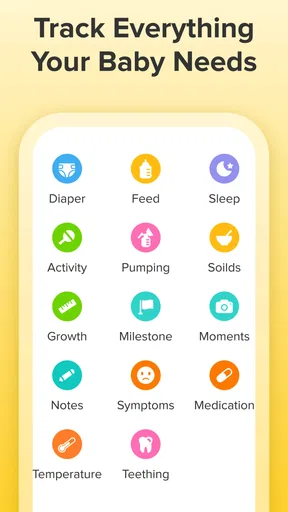
The central idea is straightforward: keep a running record of a baby’s routine, including feeding, diapers, sleep, growth, and development. Glow Inc made this parenting app for caregivers who want those details close at hand. Rather than trying to remember whether a feed happened before or after a nap, you can add an entry as part of the day and look back when a pattern or question comes up.
That shared record can be helpful even when only one person does most of the logging. If another caregiver takes over for an afternoon, a clear history gives them a better starting point than a hurried handoff from memory. It can also make a conversation with a health professional more grounded, since you can refer to what you have recorded instead of relying entirely on recollection. The log is a practical aid, not a diagnosis or a substitute for professional advice.
I would not try to capture every tiny detail just because the app offers several kinds of tracking. Choose the entries that answer a real question for your household. For one family, that might be feed timing; for another, it might be keeping sleep and diaper notes together. A useful log is the one you can maintain on a tired day, not the one that looks most complete.
How logging fits into an ordinary day
In practice, the value depends less on making perfect entries and more on having a consistent place to put them. Imagine a caregiver finishing a feed while another adult is about to take over. A quick note can keep the next person from having to ask the same questions, and the record can be checked later if the timing becomes hard to remember. During a busy evening, that small reduction in mental bookkeeping can matter.
There is a trade-off: logging itself takes attention. If you are holding a baby, managing a diaper change, or trying to settle everyone, opening an app and entering details may feel like one more task. I would treat it as optional support rather than a rule. If a particular entry is easy to forget and genuinely useful later, record it; if tracking a detail adds stress without helping you make a decision, leave it out.
A simple routine can make the app less intrusive. Log the event when the baby is settled, or agree with another caregiver on who records which parts of the day. Avoid keeping parallel records in several places unless you have a specific reason: duplicate notes can create uncertainty about which one is current. This is especially worth considering when more than one person is helping, because consistency is more useful than an elaborate but incomplete history.
Where it stands against simpler alternatives
The usual alternative is a paper notebook, a note on your phone, or simply remembering the routine. Those options can be perfectly adequate if you only need a short list or prefer not to use a dedicated app. Glow’s appeal is that feeding, diaper, sleep, and milestone records sit within a baby-focused tracker rather than being spread across unrelated notes. The trade-off is that a dedicated app asks you to learn its layout and keep using it; a notebook may feel quicker when all you need is one line.
I would choose a basic note or paper log if the household wants the fewest possible steps, or if tracking only one item is enough. Glow makes more sense when several caregivers need a common reference or when keeping multiple aspects of a routine in separate places has become inconvenient. It is not automatically better because it covers more ground. The best fit depends on whether those different records are useful together for you.
The app is free to download, though it includes in-app purchases ranging from $0.99 to $99.99 per item. Its content rating is Everyone, and it has an average rating of 3.8 from around 14,000 ratings, with more than 1 million installs. Those figures suggest it has reached many families, but they do not tell me whether its logging style will suit a particular household. I would decide based on the everyday workflow, not popularity alone.
Putting the tracker to work
I’d start by treating the tracker as a shared memory aid, not a complete account of every hour. Before a caregiver handoff, agree on which recent details will actually help the next person, then use the record to prompt a quick conversation rather than replace one. That small boundary can keep logging practical and make the next section’s everyday example easier to adapt to your own routine.
A realistic use case: making a handoff easier
Consider a day when one caregiver has been with the baby since morning and someone else is taking over later. Instead of trying to recount every feed and nap aloud, the first caregiver can use the record as a prompt for the handoff. The next person can check recent entries, then add their own when appropriate. This does not remove the need to talk, especially if something seems unusual, but it can make the basic routine clearer and reduce the chance that a tired person has to reconstruct the day from memory.
For this workflow to stay useful, agree on what counts as worth recording. One person might enter every event while another records only feeds and sleep. Either approach can work if everyone understands it. A shared expectation also prevents the log from becoming a source of friction, with one caregiver worrying that entries are missing and another feeling pressured to document everything.
Another useful approach is to review the record only when it serves a purpose. You might look back before a conversation about routine, or check recent notes after a change in who is caring for the baby. There is little benefit in repeatedly studying entries without a question in mind. I see tracking as a way to make observations easier to retrieve, not as a demand to turn a baby’s day into a performance report.
What the community and reminders can—and cannot—do
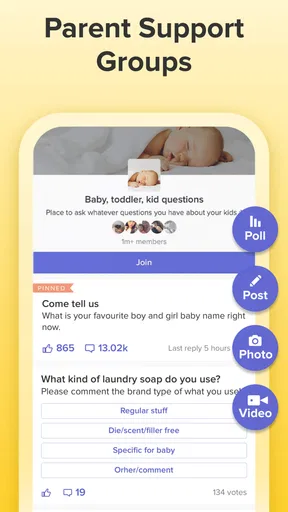
The app also includes a parent community, which may offer a feeling of connection when daily caregiving is isolating. I would use that space for conversation and shared experience, while keeping a distinction between peer advice and guidance from a qualified professional. A story from another parent can be reassuring, but it cannot establish what is right for your child in a specific health situation.
Reminders can help when a caregiver wants a prompt for a routine task or appointment. They are most useful when they reduce the need to remember something, rather than adding a stream of alerts that becomes easy to ignore. I would start with only the reminders that solve a real problem and adjust from there. If notifications make the day feel more pressured, the app is not helping in that moment.
For a family sharing care, it is also worth deciding who will maintain the record and how the information will be communicated. The app can support coordination, but it cannot resolve disagreements about routines by itself. A brief conversation about what to log and when to check it is often more valuable than expecting the tracker to create a shared system automatically.
Who is likely to get the most from it
I think Glow is most appealing to new parents and other caregivers who are already trying to remember several recurring details and want them gathered in one baby-oriented place. It may be especially helpful when care is divided between adults, when routines change often, or when a caregiver wants a written reference for later discussions. The app’s range of tracking categories gives people room to focus on different parts of the day without needing a separate note for each one.
On the other hand, it may not be the right choice for someone who dislikes recording routine events, wants only a very minimal checklist, or finds phone use disruptive during caregiving. A paper notebook or a simple phone note can be easier if the goal is just to jot down one detail. Someone looking for medical assessment should also look elsewhere for that purpose: a tracker can preserve observations, but it cannot tell you what they mean or replace care from a clinician.
Glow’s current version is 4.57.0, and it runs on Android 6.0 or later. That makes the minimum system requirement worth checking before installing on an older device. The app was released on February 24, 2016, and its continued presence in the parenting category makes it a familiar option to consider, though I would still judge it by whether its approach feels comfortable in daily use.
A few choices that keep tracking manageable
Before building a detailed record, decide what you hope it will help you remember. If the aim is smoother caregiver handoffs, prioritize entries that the next person needs. If you want to look back on sleep, keep those notes consistent enough to be meaningful. This prevents the common trap of recording a lot at first and abandoning the routine because it takes too much effort.
It can also help to use milestones differently from day-to-day logs. A milestone is a memorable point to preserve, while routine entries are most helpful when they answer a near-term question. Separating those purposes mentally keeps the app from feeling like a single obligation. You can record special moments without assuming you must document every ordinary one.
Finally, treat gaps in the record as normal. A missed entry does not invalidate everything that came before, and trying to fill in a day from memory can create false confidence. Add what you know, leave uncertain details alone, and return to the routine when it is convenient. That approach makes the tracker a tool for support rather than a source of guilt.
My take after weighing the fit
First things first, downloading the app is a breeze. Available on both Android and iOS, it’s just a quick tap away from the app store. Once you’ve got it installed, you’re greeted with a clean and friendly interface. I found the setup process pretty intuitive, which is a win in my book.
Glow offers a simple sign-up process. You have the option to connect with your email or social media accounts. Once you’re in, the app asks for some basic info about your baby. This includes their name, birth date, and any other details you’d like to add. Now you’re ready to start tracking!
Features Galore
One of the standout features of Glow is its comprehensive tracking capabilities. From feeding and diaper changes to sleep schedules and milestones, Glow covers all the bases. As a new parent, keeping track of these details can be overwhelming, but Glow turns it into child’s play.
Let’s break it down a bit:
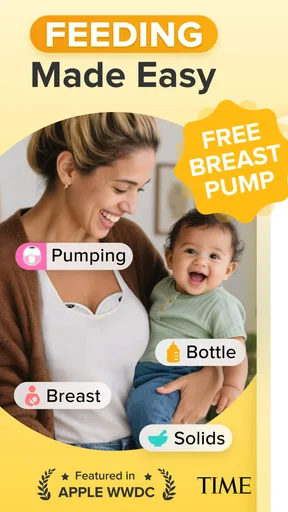
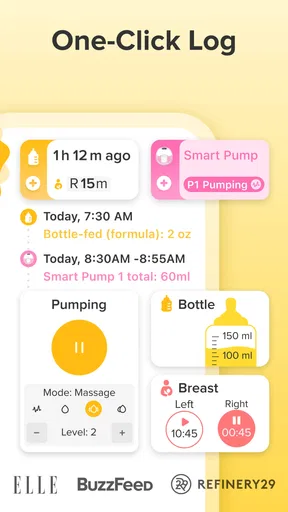
- Feeding Tracker: Whether you’re breastfeeding, bottle-feeding, or both, Glow makes it super easy to log feedings. You can even track how much your baby is eating, which is super handy for formula feeding.
- Diaper Changes: Yes, this is a thing! Keeping an eye on diaper changes helps you monitor your baby’s health, and Glow makes this as simple as checking a box.
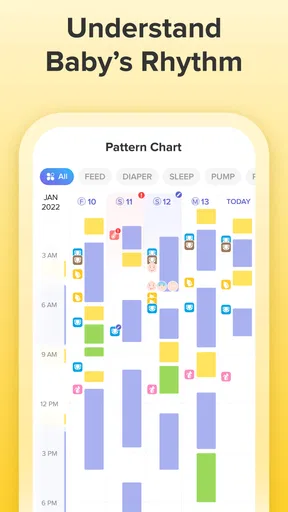
- Sleep Log: Ah, sleep – the holy grail for new parents! With Glow, you can track your baby’s sleeping patterns, helping you figure out what works best for your little one.
- Milestones: Every little achievement is a big deal, and Glow lets you record those special moments effortlessly.
Community Support
One of the features I didn’t expect to love so much was the community aspect. Glow connects you with a network of other parents who are in the same boat. Whether you’re looking for advice, support, or just someone to commiserate with during those 3 AM feedings, Glow’s community has got your back. It’s like having a virtual village at your fingertips!
User Experience
The user interface is sleek and user-friendly. Navigating through the app is a breeze, thanks to its intuitive design. I especially appreciate the customization options, allowing you to tailor the app to fit your specific needs.
Notifications are another helpful feature. You can set reminders for feedings, naps, and doctor’s appointments. This is particularly useful when you’re sleep-deprived and need that extra nudge to stay on top of things.
The Verdict
All in all, Baby Tracker App | Glow is a fantastic tool for any parent or caretaker. It’s packed with features that make tracking your baby’s daily activities a breeze, and the community support is a lovely bonus. While no app can replace the experience of raising a child, Glow definitely takes some of the stress out of the equation.
So, if you’re looking for a reliable, comprehensive, and user-friendly baby tracking app, give Glow a whirl. It might just become your new best friend in the wonderful, chaotic journey of parenthood!
Verdict
Strengths of Baby Tracker App | Glow
- Intuitive interface for easy navigation.
- Comprehensive tracking of baby's activities.
- Syncs data across multiple devices.
- Customizable reminders for tasks.
- Supports multiple caregivers.
Limitations of Baby Tracker App | Glow
- Limited features in free version.
- Occasional sync issues reported.
- No offline mode available.
- Ads can be intrusive at times.
- Lacks advanced analytics tools.
Similar Picks in This Category
View All
Family Space
Motorola Mobility LLC.3.9

شرطة الأطفال - مكالمة وهمية
Oub Apps4.1

Findmykids: Parental Control
LETEM LTD4.6

Pregnancy + | Tracker App
Philips Electronics UK Limited4.8

Policía de niños - para padres
Kids police4.7

Pregnancy App
Amila4.9
Frequently Asked Questions
What features does the Baby Tracker App by Glow offer?
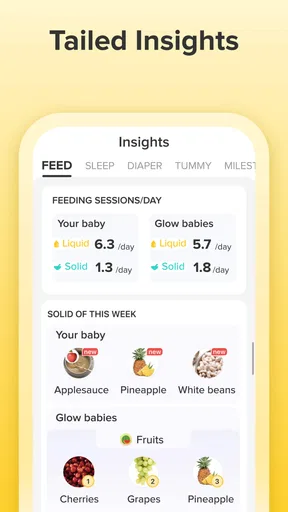
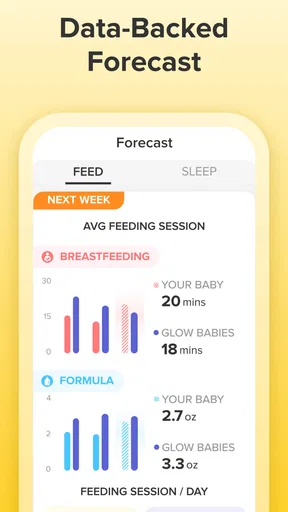
The Baby Tracker App by Glow provides comprehensive features to track your baby's daily activities, including feeding, sleeping, diaper changes, and growth milestones. It also offers personalized insights, reminders, and a community for parents to connect and share experiences. The app is designed to help parents monitor and support their child's development efficiently.
Is the Baby Tracker App by Glow available for both Android and iOS devices?
Yes, the Baby Tracker App by Glow is available for download on both Android and iOS platforms. Users can easily find the app on Google Play Store and Apple App Store, ensuring compatibility with a wide range of devices. This accessibility allows parents to track their baby's activities seamlessly on their preferred device.
Does the Baby Tracker App by Glow require an internet connection to function?
The app can function offline for tracking basic activities like feeding and diaper changes. However, to access advanced features such as syncing data across devices, receiving personalized insights, and participating in the community, an internet connection is necessary. This ensures that users can make the most of the app's capabilities.
Is my data secure with the Baby Tracker App by Glow?
Glow prioritizes user privacy and data security. The app employs encryption and secure servers to protect your information. Additionally, users have control over what data they share and can access the app's privacy settings for further customization. Glow is committed to safeguarding your personal and baby's data.
Can multiple caregivers use the Baby Tracker App by Glow?
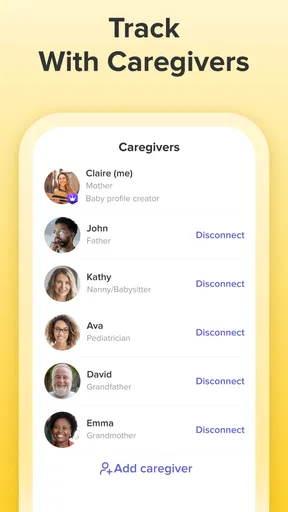
Yes, the Baby Tracker App by Glow supports multiple caregivers. This feature allows parents, babysitters, and other family members to collaborate and update the baby's activities in real time. Caregivers can easily sync data across devices, ensuring everyone stays informed about the child's daily routine and progress.
